Reviews and selectable chips
Configure rating ranges, order, location, service, and bilingual labels. Customers can select several chips and add an optional detail.
Updated: 2026-10-06What this covers
Configure rating ranges, order, location, service, and bilingual labels. Customers can select several chips and add an optional detail.
Steps
1. Open Settings, configure review options, and add chips with their star range, order, and translation.
2. Test the public link: choose a rating, select one or more chips, and add optional detail.
Choose the stars that match your experience.
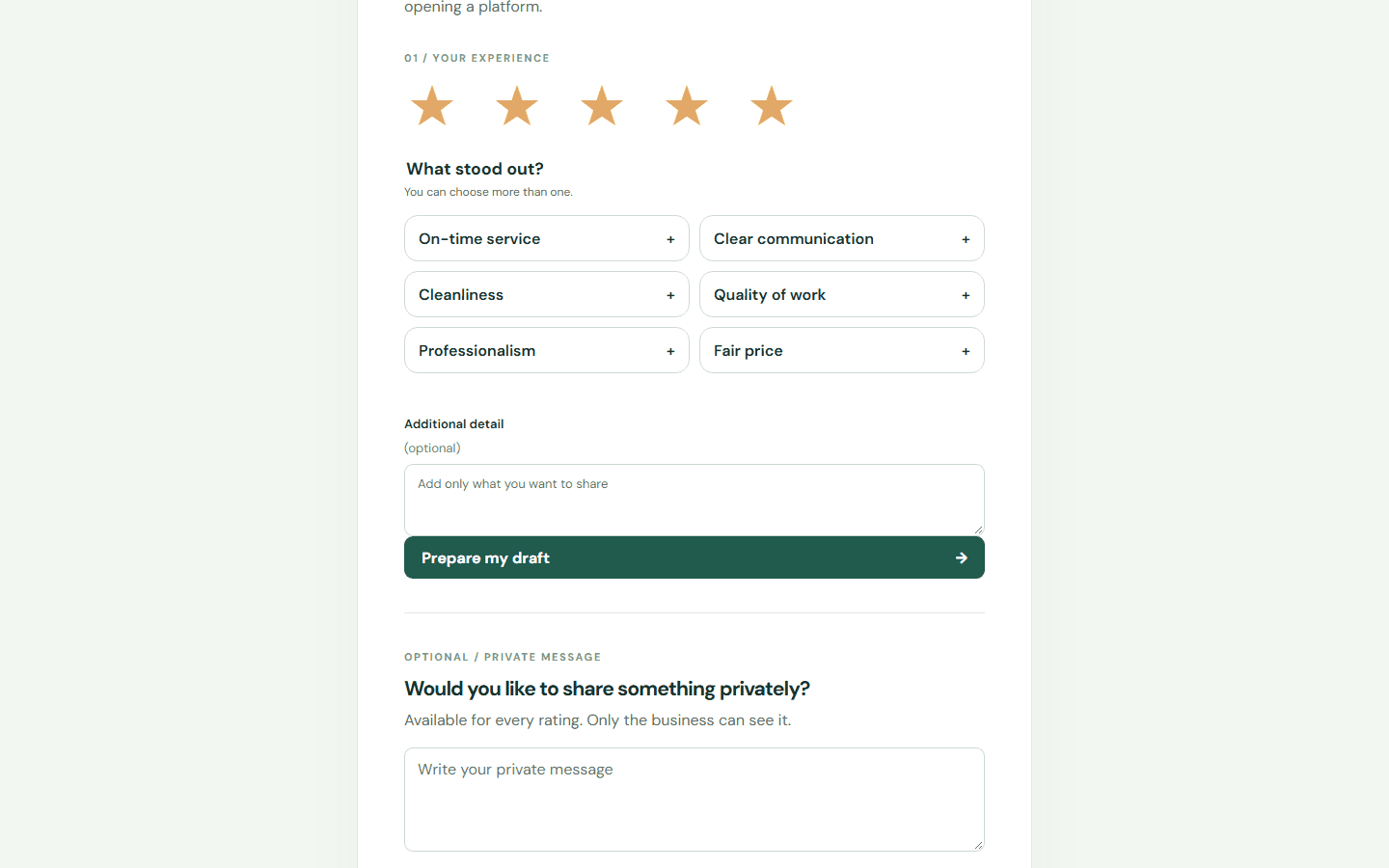
Select words that describe the service. Below, you can add details and prepare your draft.
Choose the stars that match your experience.
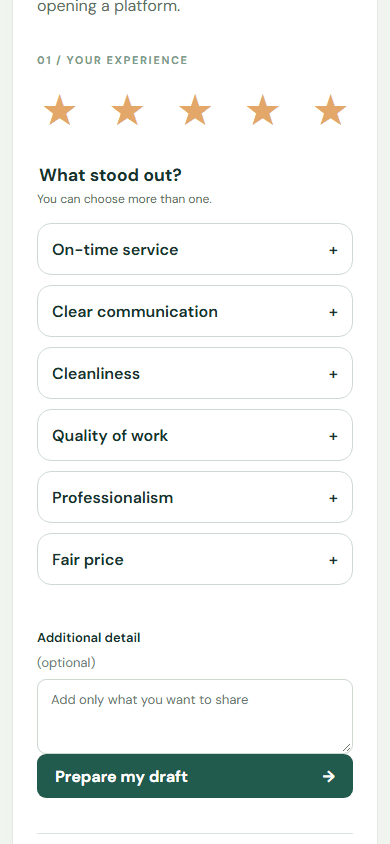
Select words that describe the service. Below, you can add details and prepare your draft.
3. Review the generated draft. Its tone follows the star rating and uses the selected keywords; the customer can edit it before sharing.
Limits
The product records actions it can observe. External platform publication requires separate evidence.
Personalize by service type
In Settings, create or edit the service, then select it when creating the review link. Use a name such as HVAC, electrician, plumbing, or a specific job. The draft combines that context with the rating and selected keywords; the customer’s optional detail is preserved in the text.
Recognized trade names adapt to English or Spanish. Custom service names remain as entered. Links without a service use only the business name. Drafts do not add repairs, equipment, or outcomes the customer did not describe. Existing drafts remain unchanged; generate a new one to try this.
Assisted writing
When AI writing is enabled, the generator sends the business name, service, rating, selected aspects, and optional detail to the configured provider to prepare a more natural draft. Always check that it reflects your experience before publishing. If the provider is unavailable, an editable basic draft is used.
Technician name in the review
When you use a technician’s QR, their name appears before the rating and is included in the draft. Uncheck the box if someone else helped you. Business and service names come from the link; they are not fixed to a particular business or trade. Manage team QR codes.
A more natural draft
Assisted writing prioritizes the customer's own detail and combines selected keywords without turning them into a list. There is no minimum word count: limited input may produce a single sentence. The service provides context and is mentioned when it helps explain the experience. The business name may be omitted if it does not fit naturally; the technician's name is included when the checkbox is selected.
Specific criticism is preserved even with a high rating. Before publishing, check that the text keeps your intended meaning. Saved drafts do not change; generate a new one to try the updated writing.
Assisted writing is available in the hosted app when enabled. If the provider is unavailable, you can still review and edit a basic draft before publishing.
Search another guide or submit a ticket from your dashboard.