Customer portal access and visit requests
Share a private customer portal link and review requested visit changes.
Updated: 2026-10-05Share portal access
An owner or administrator with contact editing access can create a private portal link from a customer contact. Copy the link and share it yourself; Relato does not email it. The link expires after 24 hours, and you can revoke it sooner from the contact.
The customer can see their own jobs and visits, plus quotes and invoices already shared with them. Drafts are not shown. Customers cannot change amounts or register payments in the portal.
Review a visit change request
Customers can request a different visit time by choosing a future start time, an end time after the start, and a reason. The request remains pending until your team responds.
1. Open the customer’s request and review its proposed time and reason.
2. If you can accommodate it, reschedule the visit in Agenda. Confirm the request only after the scheduled visit matches the requested time.
3. If you cannot accommodate it, decline the request and include a response for the customer.
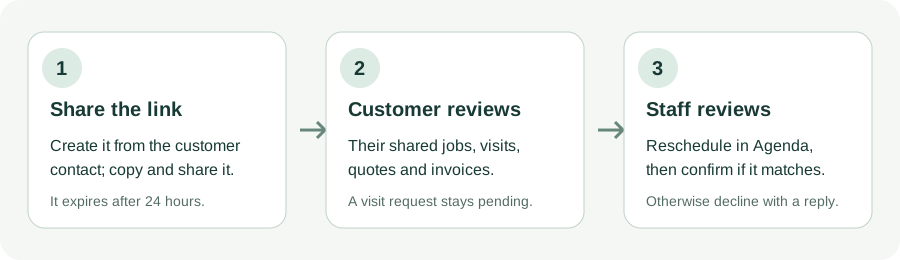
The illustration describes the steps; it is not a screenshot of the portal.
Search another guide or submit a ticket from your dashboard.